Each particle has a position, a velocity and a lifespan. Emit hundreds of them with slightly random velocities, apply gravity or wind, fade them out as they age, and you get fountains, fireworks and rain — and if each particle has a home to return to, it can spell out words. The trick is managing the crowd: adding new particles, removing dead ones, and keeping it fast.
Every simulation below runs right here in your browser, for free, with live controls. Open one, change the sliders, and use the mouse — most of them respond to it.
Particle Systems simulations
Particle Emitters
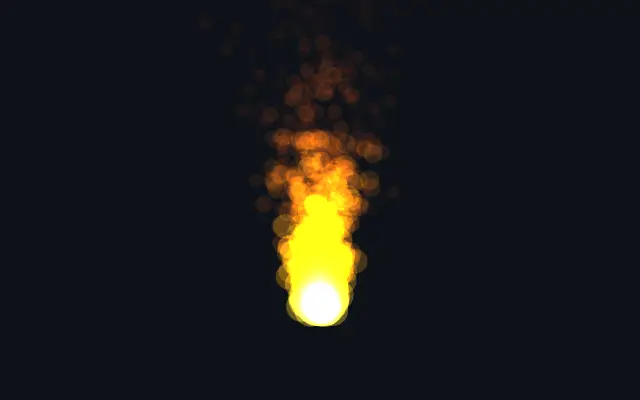
A particle system manages many short-lived objects. Each frame an emitter spawns new particles, applies forces to all of them, and removes the ones whose lifespan has run out.
The look depends on how particles spawn and render: fire uses additive blending and shrinks while fading from yellow to red, smoke grows and fades, sparks are drawn as streaks along their velocity.
Try this: Click empty space to add emitters, and drag an emitter to move it. Set the mouse force to "Repel" and sweep through the stream.
Fireworks: Systems of Systems
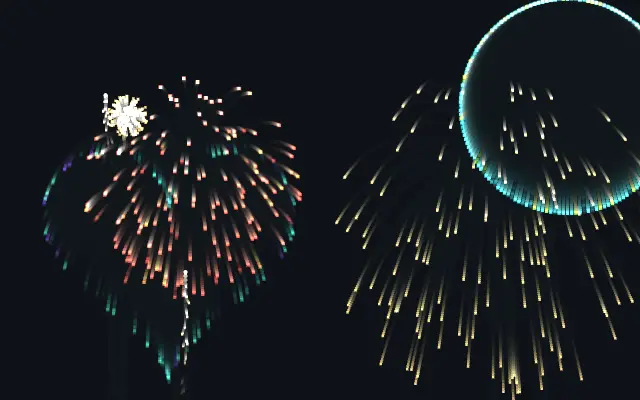
A firework is a particle system of particle systems. Each rocket is a particle that, at the top of its arc, is replaced by a new system of hundreds of sparks. In a "crossette" those sparks burst again, a third level of nesting.
The burst shape is just the distribution of initial velocities: random directions give a sphere, evenly spaced angles a ring, and a parametric curve a heart. To reach a chosen height a rocket needs launch speed v = √(2·g·h).
Try this: Click anywhere to launch a rocket that bursts exactly where you clicked.
Open Fireworks: Systems of Systems →
Particle Text
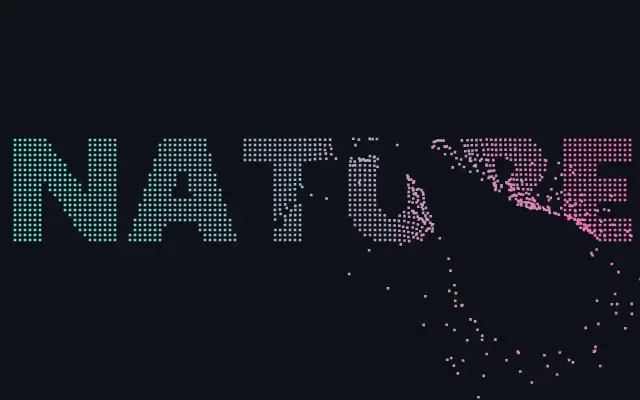
Particles don't have to fly off and die. Give each one a home and the arrive steering behaviour, and they assemble into shapes. Here the homes come from text: we draw the word on a hidden canvas, read back its pixels, and put a target wherever there is ink.
Move the mouse through the letters to scatter particles. They flee the cursor, then arrive back home and slow down as they near their target.
Try this: Type a new word and press Enter. Particles re-target, and extras are created or retired as needed.
Rain, Splashes & Ripples

Like fireworks, this is a system that spawns systems. Each raindrop is a particle, and when it hits the ground (or your umbrella) it dies and spawns a tiny splash system: a few droplets thrown up in an arc, plus an expanding ripple ring on the ground.
Wind is a constant force that tilts every drop's path. Lightning is just a whole-screen flash that fades over a few frames.
Try this: Move your mouse to hold the umbrella over the scene, and crank up the wind.
Open Rain, Splashes & Ripples →
Evolve them into something new
Several of these are already evolutions: Fireworks: Systems of Systems grew out of Particle Emitters; Particle Text grew out of Particle Emitters; Rain, Splashes & Ripples grew out of Fireworks: Systems of Systems. In Labs you can take any of them a generation further: press Evolve this, get suggestions for what the next version could add, and build the one you like — or combine two or three simulations into one system.
Make your own simulation →
Pick particle systems as a concept, choose an art piece, game, explainer or experiment, and Labs suggests ideas and builds the one you choose.