A vector is an arrow: a direction and a length. Add a velocity vector to a position every frame and an object moves; add an acceleration to the velocity and it speeds up, slows down or turns. That three-line loop is the engine behind every other simulation in the Lab.
Drag the arrow tips and watch sums, dot products and matrices update; fly a spaceship that only has thrust and rotation; and bounce a laser between mirrors to see reflection as pure vector maths.
Every simulation below runs right here in your browser, for free, with live controls. Open one, change the sliders, and use the mouse — most of them respond to it.
Vectors simulations
Vector Math Playground
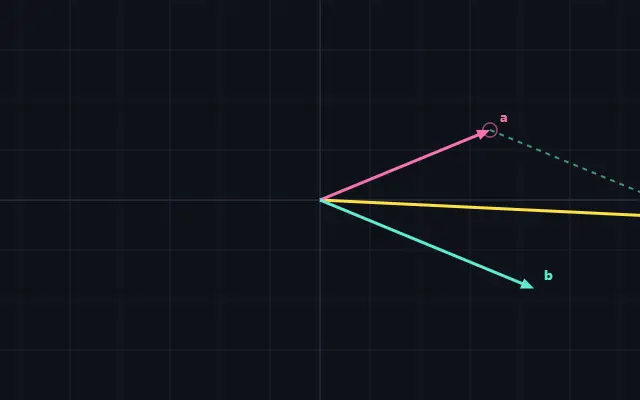
A vector has a magnitude and a direction, stored as an (x, y) pair. Nearly every simulation in this lab is built on a few vector operations.
Vector a (pink) is fixed; drag its tip to move it. Vector b (cyan) follows your mouse. The result is drawn in yellow.
Try this: In dot product mode, make b perpendicular to a and watch the dot product drop to 0.
Motion 101: Acceleration
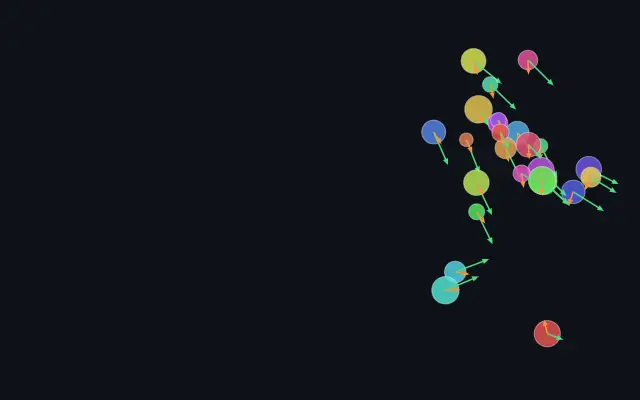
The core motion algorithm: velocity += acceleration, then position += velocity. Each object stores these three vectors, and velocity is capped at a top speed.
Green arrow = velocity, orange arrow = acceleration (both enlarged).
Open Motion 101: Acceleration →
Reflection off Walls
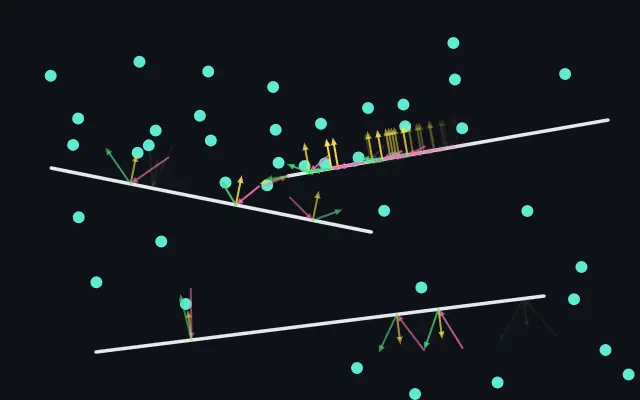
The dot product in action. When a ball hits a wall with unit normal n, its velocity reflects:
v′ = v − (1 + e)(v · n) n
Try this: Drag to draw your own walls. Right-click a wall to delete it. Try building a funnel.
Matrices: Transforming Space
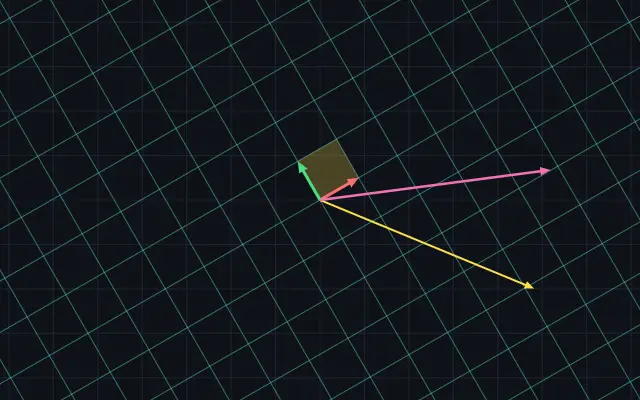
A 2×2 matrix [a b; c d] transforms every vector at once. The basis vector î = (1,0) lands on (a, c) (red) and ĵ = (0,1) lands on (b, d) (green), and the whole grid follows. Rotation, scaling, shearing and reflection are all matrices.
The determinant ad − bc is how much areas are scaled (the shaded unit square). A negative value means space is flipped, and 0 means it collapses onto a line. The yellow arrow is your mouse vector v, and the pink arrow is Mv.
Try this: Pick "Shear", then turn on "Animate" to watch the identity morph into it.
Open Matrices: Transforming Space →
Spaceship: Thrust & Rotation
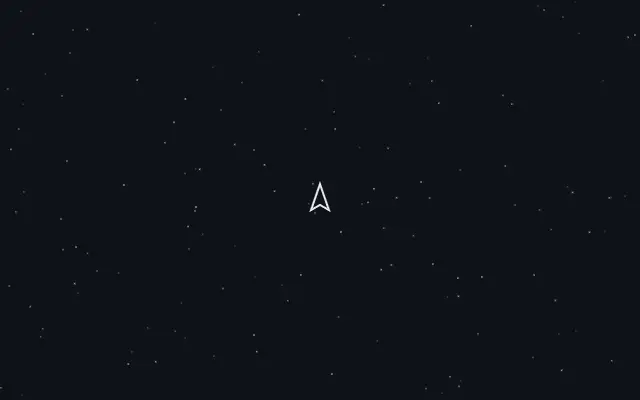
Fly with the keyboard: ←/→ or A/D rotate, ↑ or W fires the engine, ↓ or S brakes. Thrust only adds an acceleration vector (cos θ, sin θ) × thrust along the ship's heading. The ship keeps drifting in whatever direction its velocity points, just like in space.
Turning doesn't change your course; only thrusting does. That is Newton's first law made playable. In autopilot mode the ship steers itself toward the mouse.
Try this: Point the ship backwards and thrust to stop. It's harder than it sounds.
Open Spaceship: Thrust & Rotation →
Laser & Mirrors (Ray Tracing)
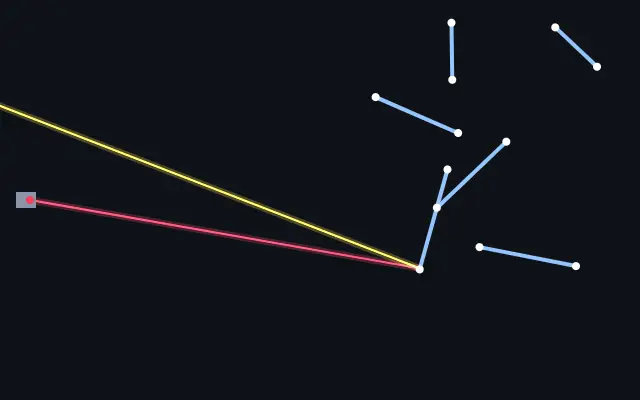
Bouncing balls used the reflection formula once per collision. A light ray applies it again and again. From the laser we cast a ray, find the nearest mirror it hits (ray–segment intersection), reflect its direction with r = d − 2(d·n)n, and continue from the hit point. This is the core loop of a ray tracer.
The laser aims at your mouse. Mirrors can be dragged by their ends or their middle. Right-click adds a mirror.
Try this: Turn on "Mirrored walls" to trap the beam in a box, and raise the bounce limit.
Open Laser & Mirrors (Ray Tracing) →
Evolve them into something new
Several of these are already evolutions: Reflection off Walls grew out of Vector Math Playground; Matrices: Transforming Space grew out of Vector Math Playground; Spaceship: Thrust & Rotation grew out of Motion 101: Acceleration; Laser & Mirrors (Ray Tracing) grew out of Reflection off Walls. In Labs you can take any of them a generation further: press Evolve this, get suggestions for what the next version could add, and build the one you like — or combine two or three simulations into one system.
Make your own simulation →
Pick vectors as a concept, choose an art piece, game, explainer or experiment, and Labs suggests ideas and builds the one you choose.