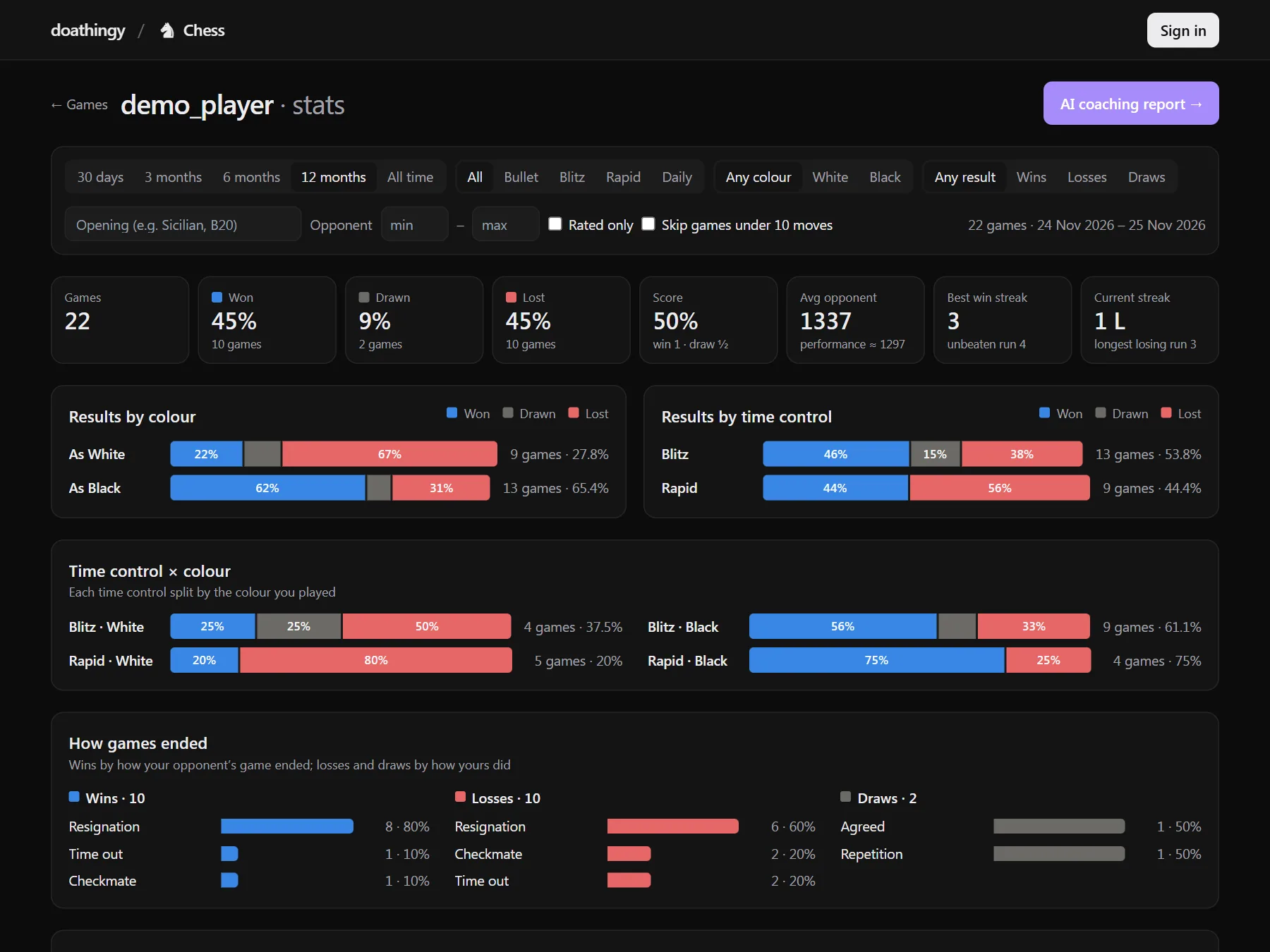
What’s on the dashboard
- Headline numbers: games, win/draw/loss rates, score, average opponent, a performance rating, your best win streak and current streak.
- Results by colour and time control, and each time control split by colour.
- How games ended — wins, losses and draws by checkmate, resignation, time out, abandonment, repetition, stalemate, agreement and more.
- Rating over time for each time control, with start, end, change and peak.
- When you play: games per month, a day × hour heatmap, and your score by weekday and by hour.
- Opponent strength: your score against opponents rated far below, close to, and far above you.
- Openings by family or exact variation, your first move as White and replies as Black — each with games, score and a win/draw/loss bar.
- Game length, accuracy (for games reviewed on Chess.com), clock use (time left in wins and losses, losses on time) and your most-played opponents.
- Records: highest-rated win, biggest upset, fastest win, longest game.

Filters for everything
Every chart follows the same filters: period (30 days up to all time), time control, colour, result, opening, opponent rating range, rated games only, and skipping very short games. Want to know how you do with Black in rapid against stronger players? Three clicks.
A note on “opponent strength”
Chess.com records each player’s rating after the game. Used directly, that makes every win look like a game against a weaker opponent and every loss like one against a stronger one. The dashboard rebuilds the ratings from before each game — your previous rating in that time control, and your opponent’s moved back by the same change — so the opponent-strength chart and the upset records are fair.
Data, not advice
The dashboard only shows what happened. When you want to know what to do about it, an AI coaching report reads the games themselves with Stockfish and turns them into a plan.
Open your stats dashboard
Free for any Chess.com username — no account needed.
Questions
Is the chess stats dashboard free?
Yes, it is free and needs no account. It reads your games from Chess.com’s public data.
How far back does it go?
From the last 30 days up to all of your games on Chess.com.
More chess guides
- Free Chess.com Game Review with Stockfish — Every Game, No Membership
- What Does Chess Accuracy Mean? How Accuracy Scores Are Calculated
- Blunder, Mistake or Inaccuracy? How Chess Moves Are Classified
- How to Analyse Your Chess Games (and Actually Improve)
- Why Do I Keep Losing at Chess? What Your Games Usually Show
- AI Chess Coach: A Coaching Report from 20, 50 or 100 of Your Games
- Chess Puzzles from Your Own Games: Practise the Moves You Missed
- Doathingy Chess — free game review, stats and AI coaching