What you get for free
- Every game, every move. Your recent games load straight from Chess.com’s public data — no export, no PGN copying.
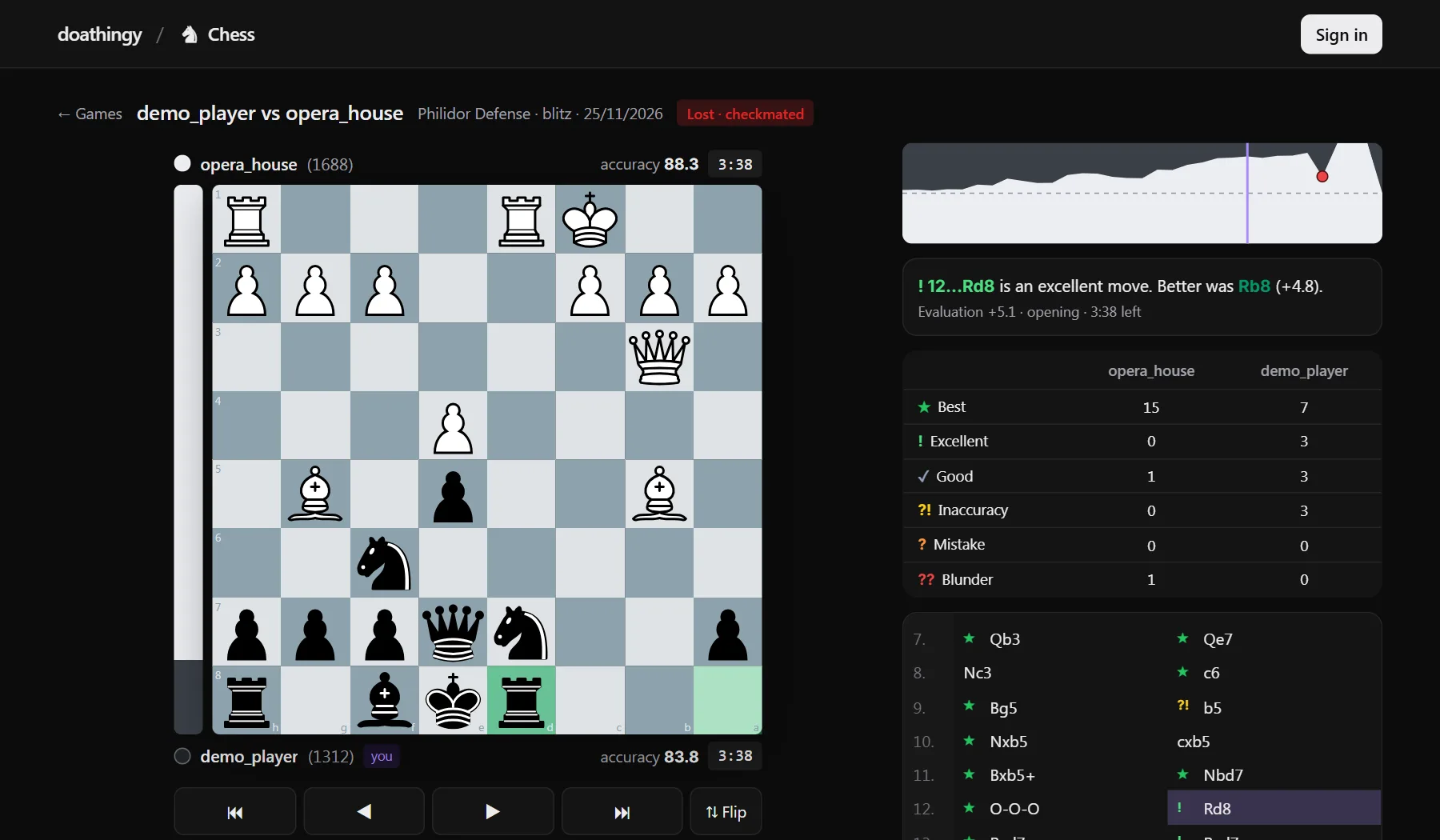
- A judgement on each move: best, excellent, good, inaccuracy, mistake or blunder, with the engine’s better move drawn as an arrow.
- An evaluation bar and graph so you can see exactly where the game swung, and jump to any moment with one click.
- Accuracy for you and your opponent, overall and for the opening, middlegame and endgame.
- Your key moments — the biggest mistakes of the game — listed under the board.
How to review a game
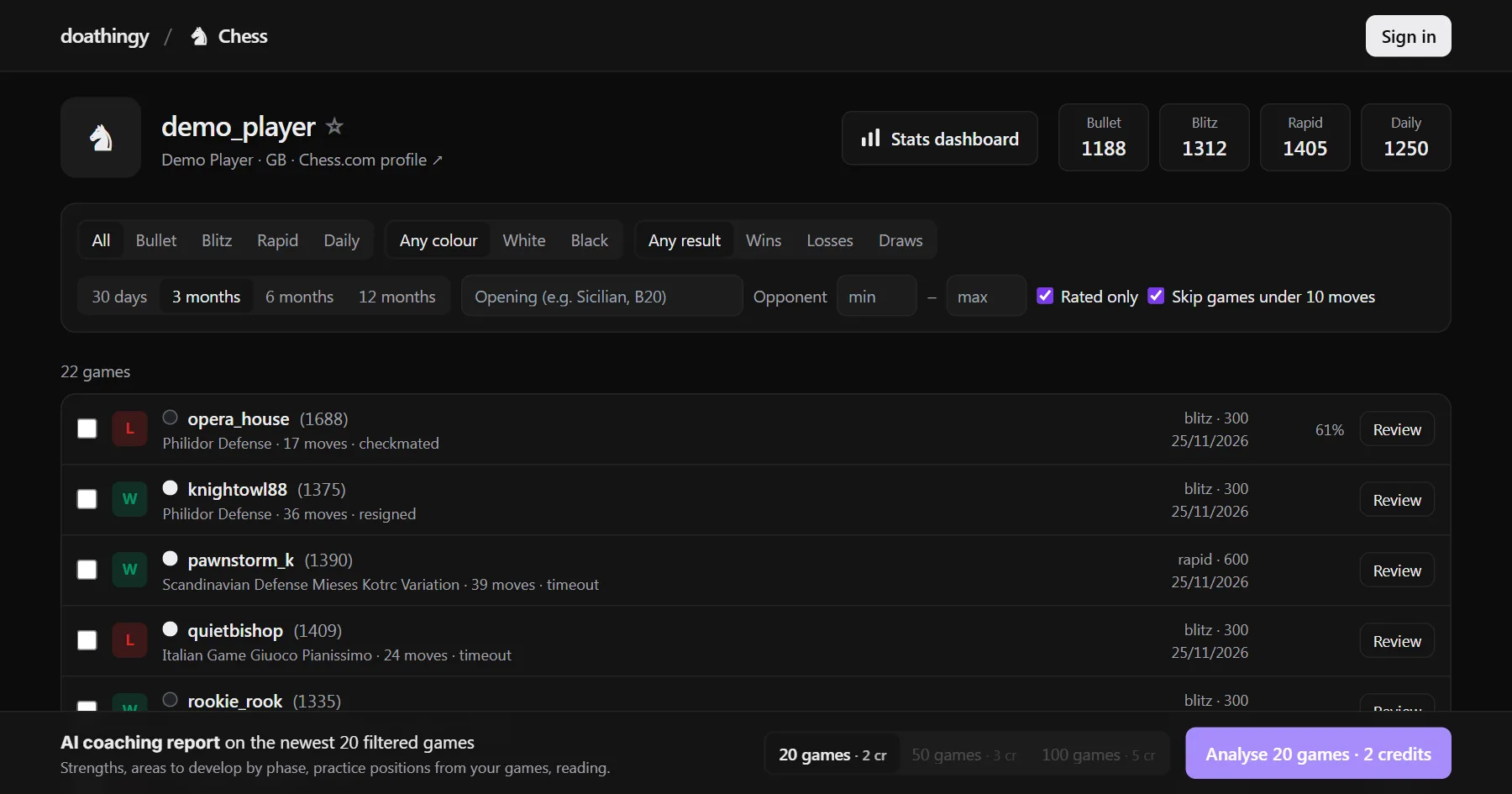
- Open doathingy.com/chess and type your Chess.com username. Star it to keep it one tap away next time.
- Filter the list — time control, colour, result, period, opening or opponent rating — and press Review on a game.
- Stockfish analyses the game in your browser (a few seconds for a blitz game). Step through with the arrow keys or the buttons, or click a dot on the graph to jump to a swing.
Why it is free
The analysis uses Stockfish, the open-source engine, compiled to run inside your browser. Nothing is sent to a server to be analysed, so there is nothing to ration: review as many games as you like.
Go further
When a single game isn’t enough, two more tools look at all of them together:
- The stats dashboard (free): results by colour, time control and opening, how your games end, rating over time, when you play best, and more.
- An AI coaching report (2–5 credits): Stockfish reads 20, 50 or 100 of your games and a coach writes up your strengths, what to work on in each phase, and practice positions from your own mistakes.
Guides in this series
- What chess accuracy means and how it is calculated
- Blunder, mistake or inaccuracy? How moves are classified
- How to analyse your own chess games
- Why you keep losing at chess — what the data usually shows
- Chess puzzles from your own games
Review your games
Free Stockfish review of every Chess.com game — no account needed.
Questions
Is the Chess.com game review really free?
Yes. Game review and the stats dashboard are free and need no account. Only AI coaching reports use credits.
Do I need a Chess.com membership?
No. Doathingy reads your games from Chess.com’s public data, which is available for every account.
Which engine is used?
Stockfish 17.1, running in your browser as WebAssembly.
More chess guides
- What Does Chess Accuracy Mean? How Accuracy Scores Are Calculated
- Blunder, Mistake or Inaccuracy? How Chess Moves Are Classified
- How to Analyse Your Chess Games (and Actually Improve)
- Why Do I Keep Losing at Chess? What Your Games Usually Show
- Chess.com Stats Dashboard: Win Rate by Colour, Opening, Time of Day and More
- AI Chess Coach: A Coaching Report from 20, 50 or 100 of Your Games
- Chess Puzzles from Your Own Games: Practise the Moves You Missed
- Doathingy Chess — free game review, stats and AI coaching